Wagtail - Issues
404
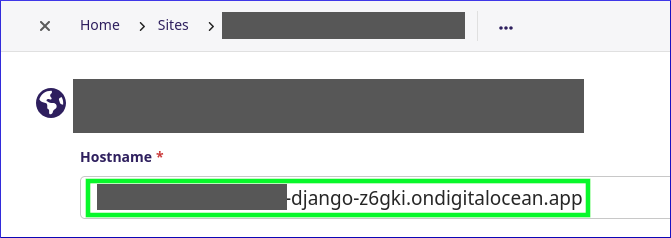
If deploying on Digital Ocean App Platform, then the Hostname in Sites
needs to match the Domain in the Digital Ocean Control Panel, but without
https:// e.g:
hatherleigh-info-django-z6gki.ondigitalocean.app
Tip
If the page fails to display (probably a 404 Page Not Found error), then try publishing the page again.
Admin template - str object has no attribute id_for_label
If you browse to Settings, Sites and get a:
'str' object has no attribute 'id_for_label'
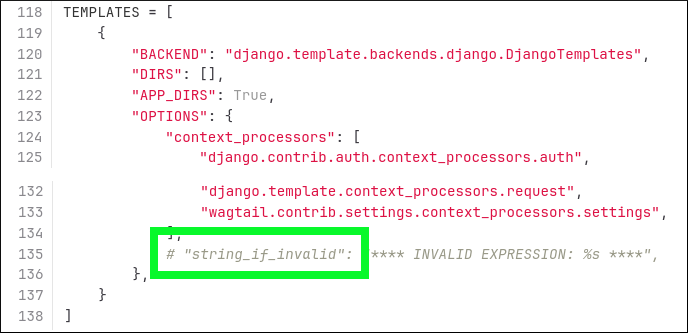
error in th Wagtail admin template, then remove string_if_invalid from
settings/base.py e.g:
Cannot resolve bases
I kept getting this issue:
raise InvalidBasesError(
  django.db.migrations.exceptions.InvalidBasesError:
Cannot resolve bases for [<ModelState: 'web.HomePage'>]
  This can happen if you are inheriting models from an app with migrations
  (e.g. contrib.auth)
I noticed there were no migrations for the web app,
but django-admin makemigrations didn’t create anything:
> django-admin makemigrations
No changes detected
To solve the issue, I had to specify the app name e.g:
django-admin makemigrations web
Child Pages (e.g. Contact Us)
If you create a child page and it doesn’t appear in the menu:
Edit the page and click on the Promote tab.
Tick Show in menus - For site menus.
DisallowedHost
django.core.exceptions.DisallowedHost: Invalid HTTP_HOST header:
'https'. You may need to add 'https' to ALLOWED_HOSTS.
To solve this issue, I removed https from the Hostname in the Site
i.e. hatherleigh.info rather than https://hatherleigh.info.
‘NoneType’ object has no attribute ‘_inc_path’
When saving a page:
'NoneType' object has no attribute '_inc_path'
To solve the issue:
django-admin fixtree --full
Search
wagtailsearch.IndexEntry (postgres.E0005) 'django.contrib.postgres' must be in INSTALLED_APPS

To solve the issue:
# src/settings/base.py
DJANGO_APPS = (
    # ...
    "django.contrib.postgres",
For more information, see Search - Database Backend (default)
Sites - Home Page
Tip
When running the development server, the home page may not display. To fix this, Settings, Sites and tick Is default site.
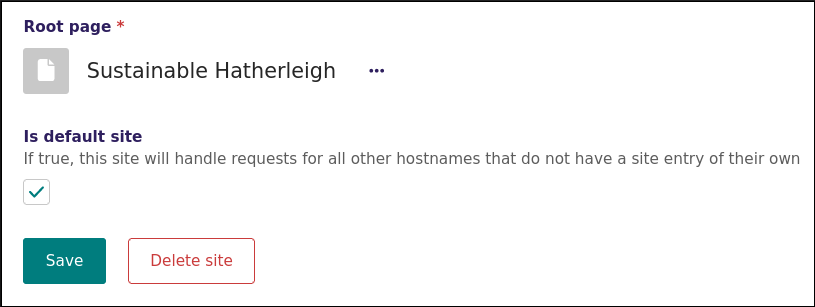
For more information, Django Wagtail page not found when i don’t use “127.0.0.1:8000”:
Check the site records under Settings -> Sites in the Wagtail admin. When a request comes in, Wagtail will only serve a page if the hostname matches one named in a site record, or the ‘is default site’ box is checked.